
How to discover/add a single device in Nectus (1.64.xx)
How to discover/add a single device in Nectus
Step 1
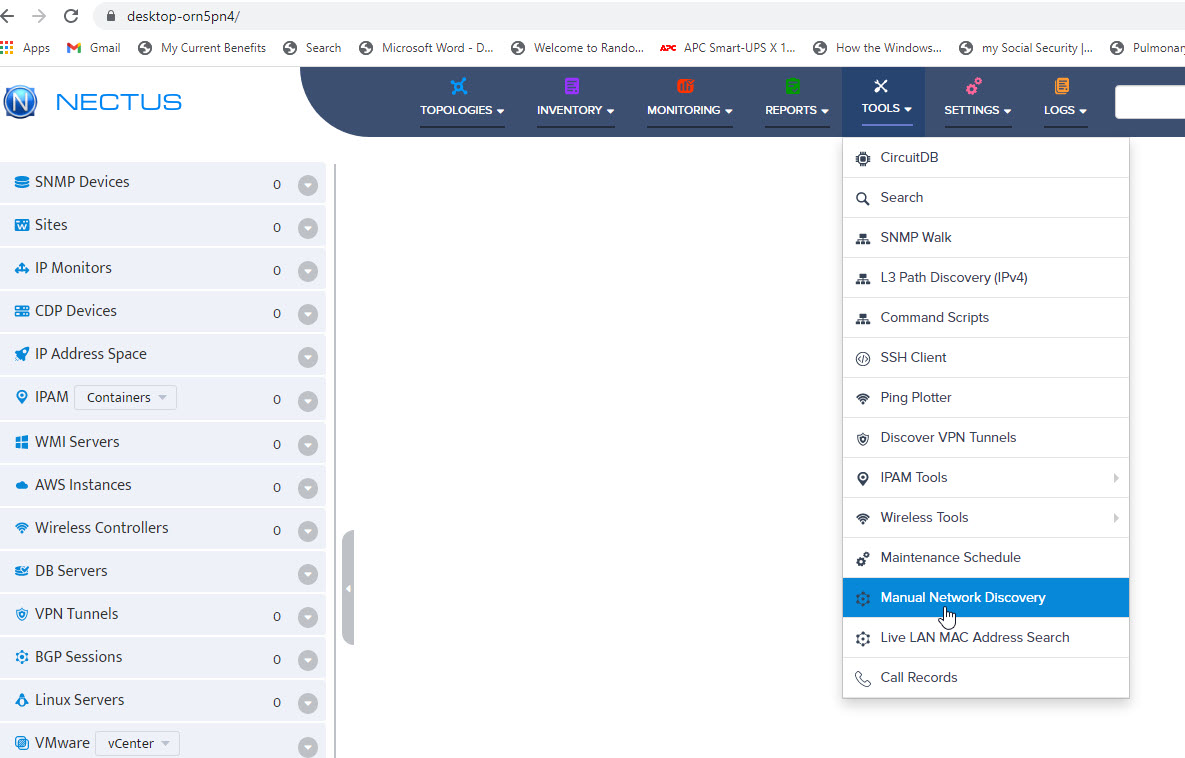
In the main window, click on “Tools”, and in the drop-down box, select “Manual Network Discovery”
Step 2
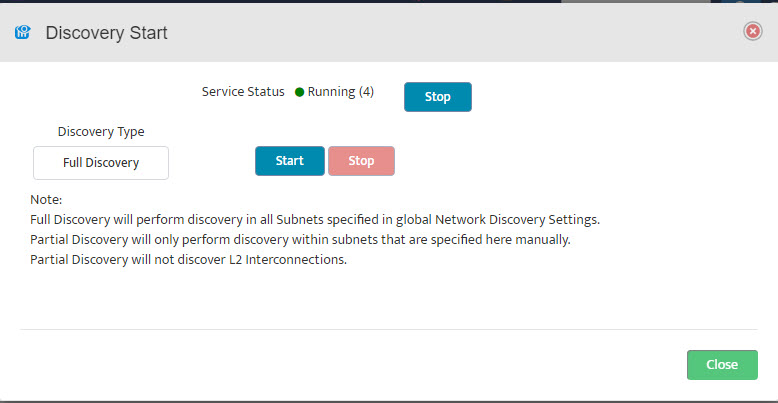
The Discovery Start Window opens
Step 3
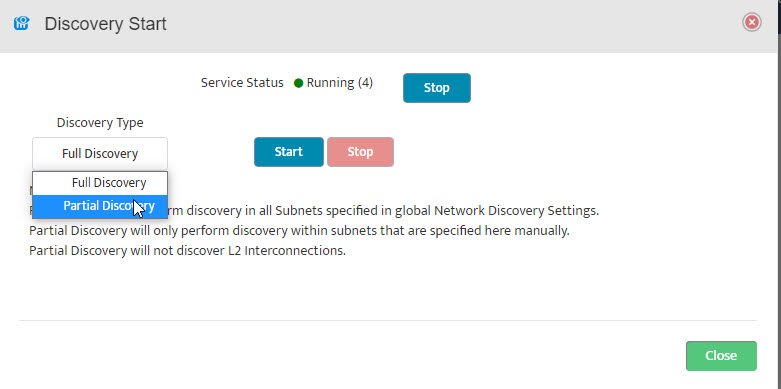
In the Discovery Start Window, change “Full Discovery” to “Partial Discovery”.
Step 4
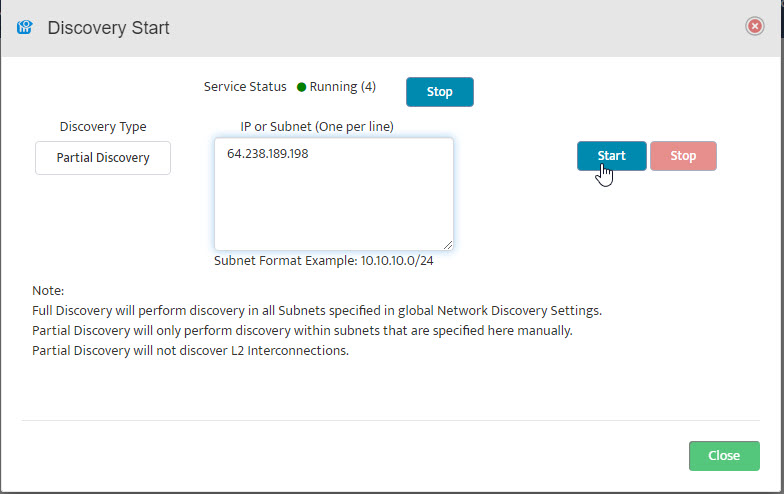
Enter IP address and click “Start”
Step 5
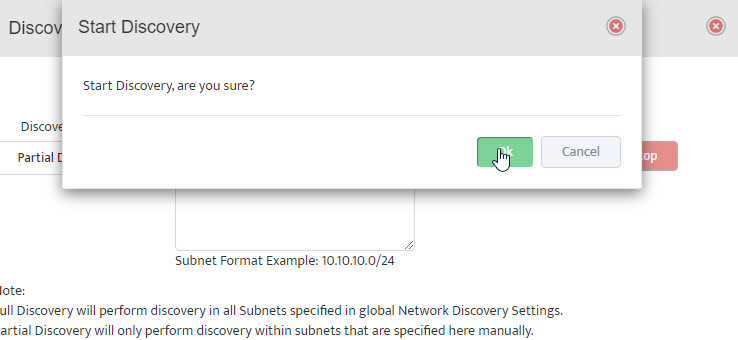 The Start Discovery window asks, “Start Discovery, are you sure?” Click “OK”.
Step 6
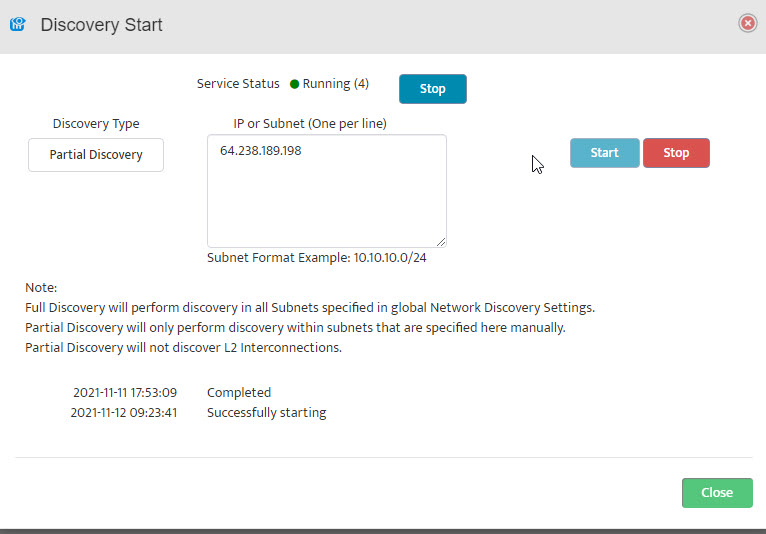 Close the Discovery Start window by clicking on “Close” in the lower right-hand side.
Step 7
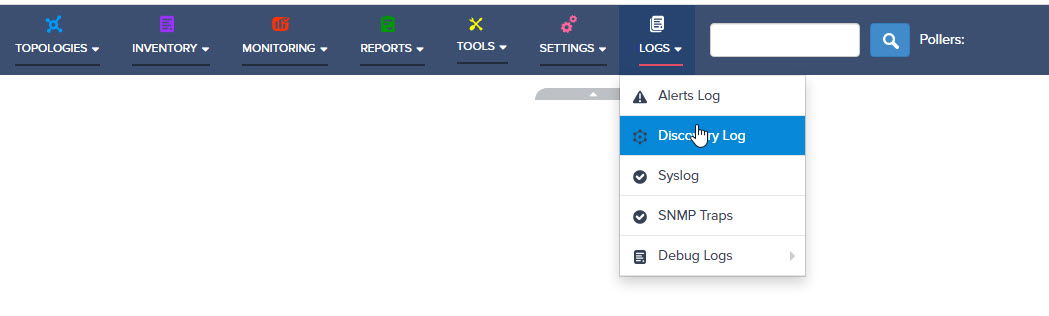
To check that discovery ran to completion, go to the Main Window and click on “Logs” and then select “Discovery Log”.
Step 8
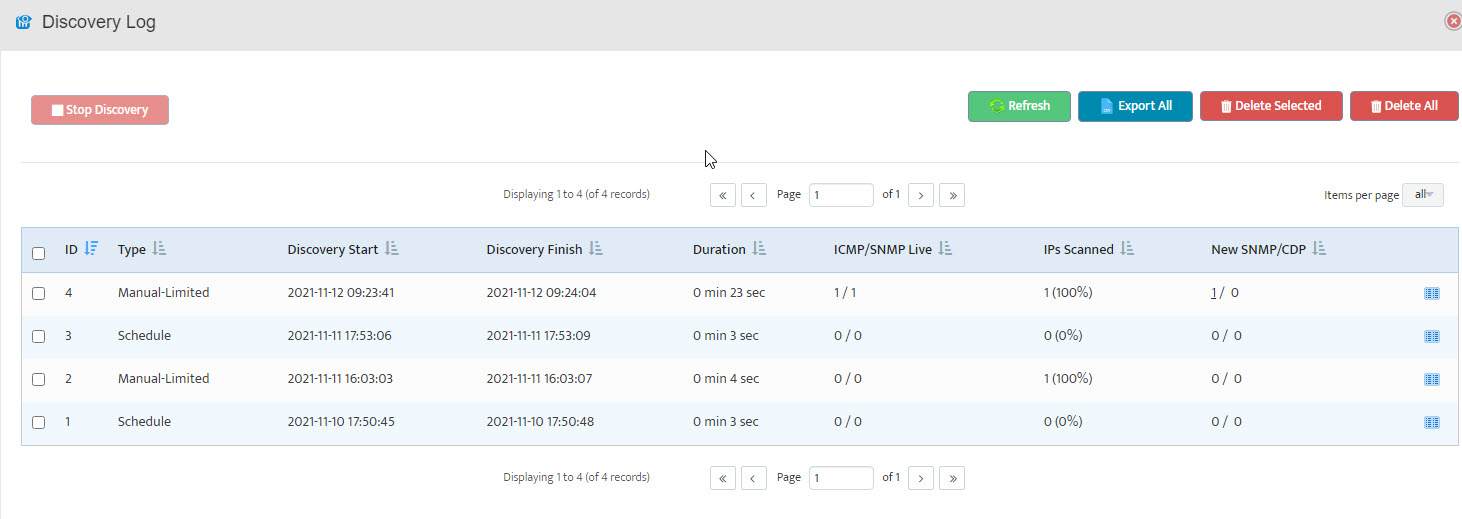 The Discovery Log opens. Here we see that our discovery (ID 4) ran to completion in 0 minutes and 23 seconds.